> ## Documentation Index
> Fetch the complete documentation index at: https://cometchat-22654f5b-docs-agent-in-group-react-v6.mintlify.site/llms.txt
> Use this file to discover all available pages before exploring further.
# Status Indicator
> Status Indicator — CometChat documentation.
`CometChatStatusIndicator` is a customized component which indicates whether user is online or offline. You can customize the `borderColor`, `borderSize`, and `backgroundColor` of this component.
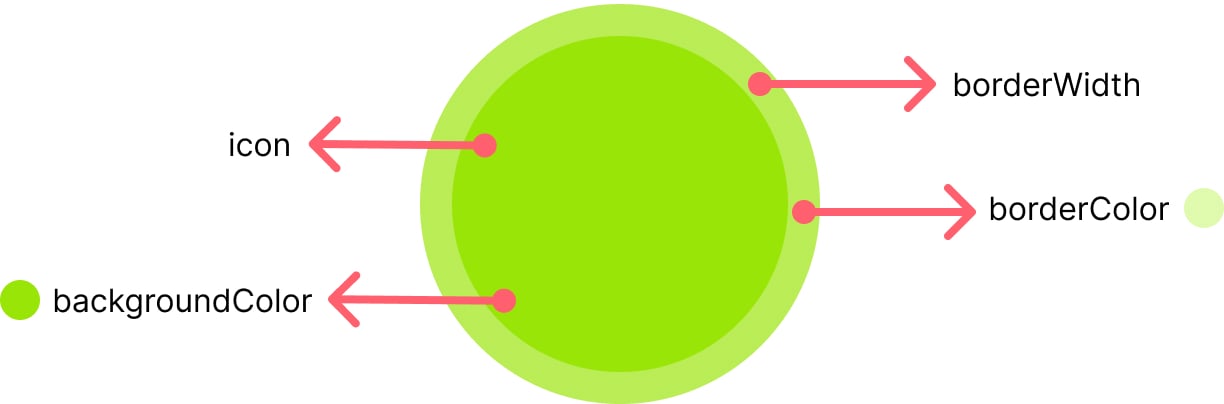 ### Properties
| Name | Type | Description |
| -------------------- | ------ | ---------------------------------- |
| backgroundColor | string | Background color of the indicator |
| backgroundImage | string | Background image of the indicator |
| statusIndicatorStyle | Object | Styling properties of the element. |
### Usage
```javascript theme={null}
import '@cometchat/uikit-elements'; //import the web elements package.
//styling properties
const statusIndicatorStyle = {width: "28px",height: "28px", border: "1px solid transparent", borderRadius: "50px" };
//use the element
```
### Properties
| Name | Type | Description |
| -------------------- | ------ | ---------------------------------- |
| backgroundColor | string | Background color of the indicator |
| backgroundImage | string | Background image of the indicator |
| statusIndicatorStyle | Object | Styling properties of the element. |
### Usage
```javascript theme={null}
import '@cometchat/uikit-elements'; //import the web elements package.
//styling properties
const statusIndicatorStyle = {width: "28px",height: "28px", border: "1px solid transparent", borderRadius: "50px" };
//use the element
```